C:\ARCHIVE\W_005_WHATIF\case_study.txt
What if…?
Three tiny prototypes. One gesture each, tuned until it feels physical.
Each concept asks one “What if…?” question about an everyday app, and answers it with a single native Figma transition on a tuned spring. No video, no fake transitions.
00The idea
One gesture, one spring.
Every move is a real, native Figma prototype. Each layer keeps the same name on every screen, so Smart Animate moves the same object instead of cross-fading two. Scroll through each concept below to flick through its frames, or open the live prototype.
01Stack
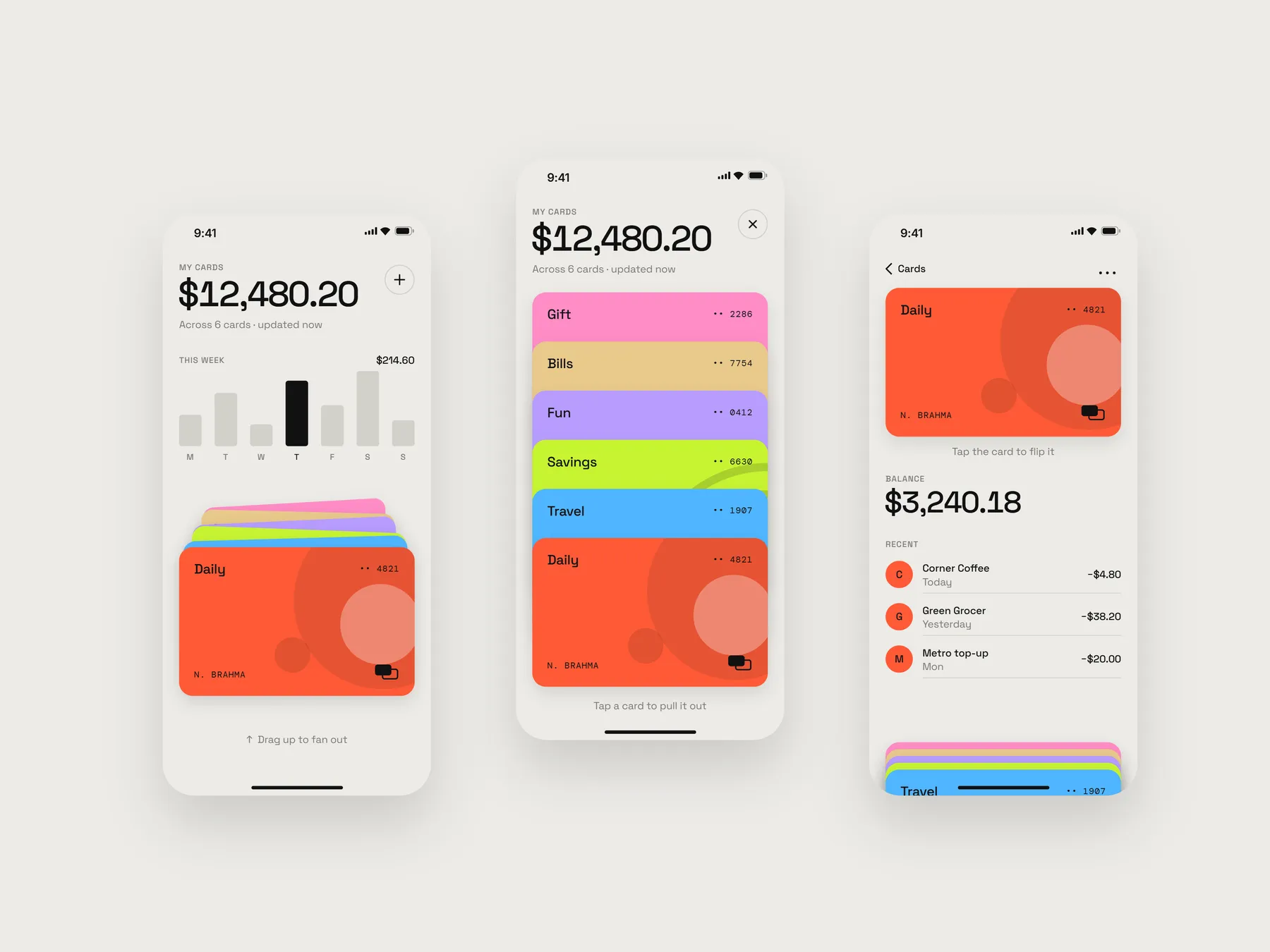
What if your wallet app behaved like a real stack of cards in your hand?
Wallet apps show your cards as a flat list. In your hand, cards are a stack: you fan them out, slide one free, turn it over to read the back.
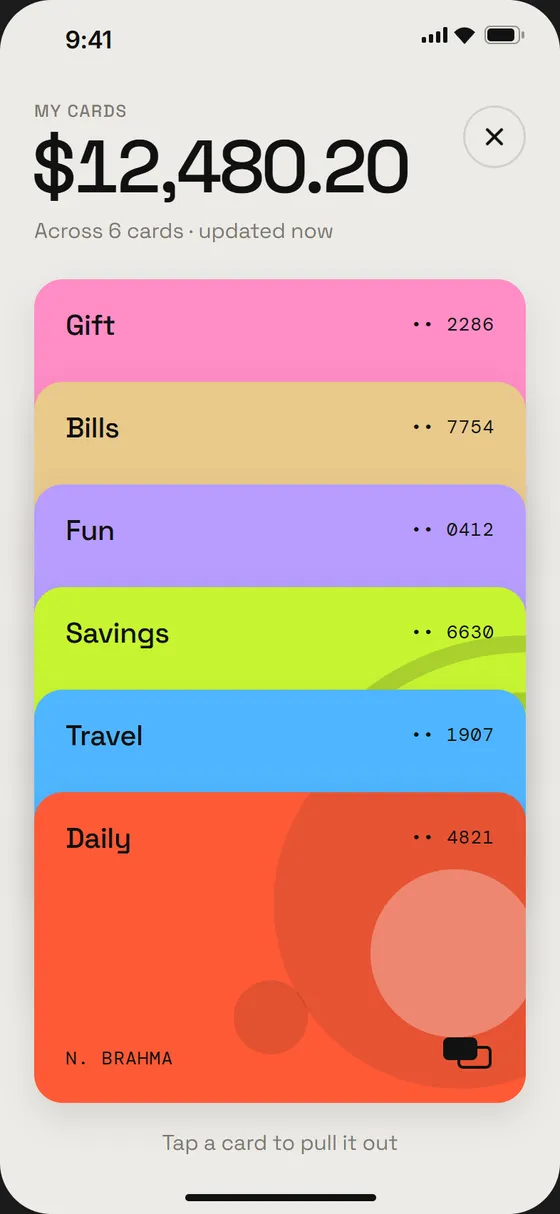
- Drag up the stack: six cards spring apart. Cards at the back travel farther, so one move reads as a stagger.
- Tap a card to pull it out. It lifts on a low-bounce spring while the rest sink into a peek.
- Tap again to flip it: number, expiry and a working freeze toggle.
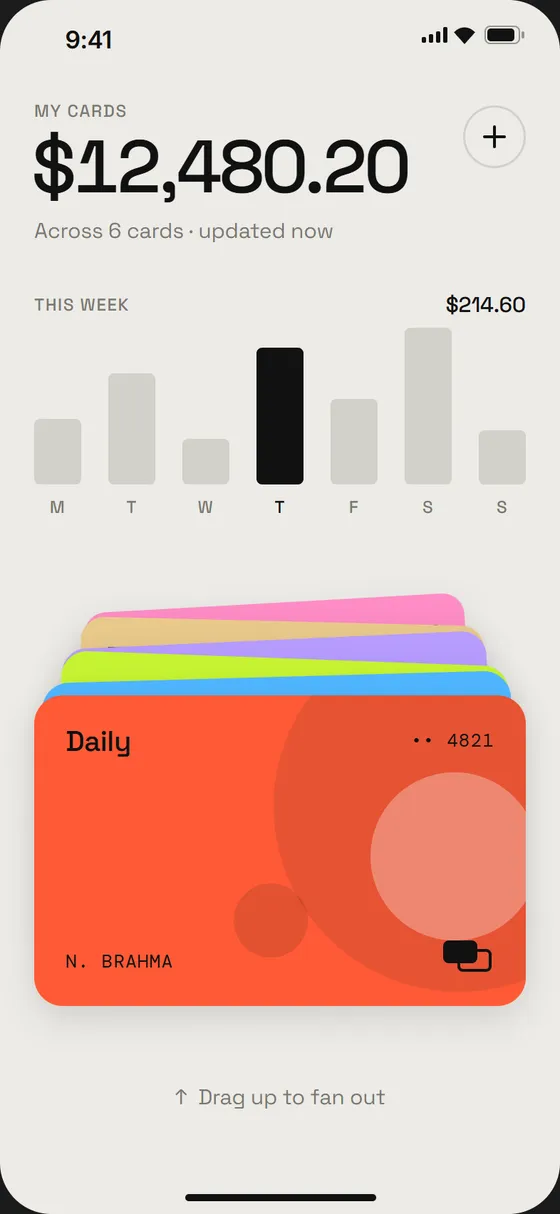
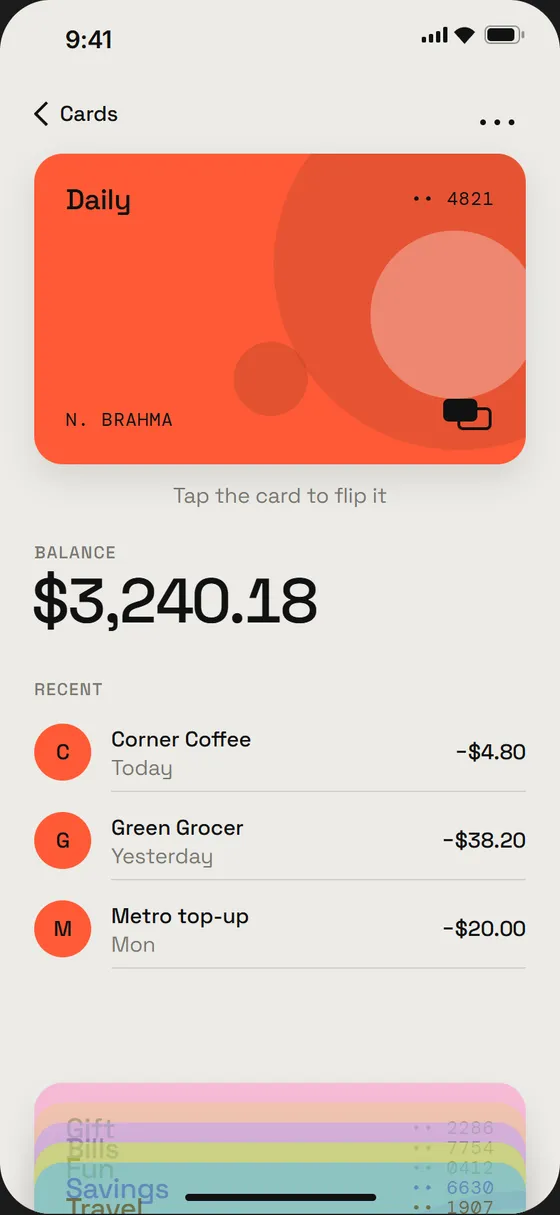
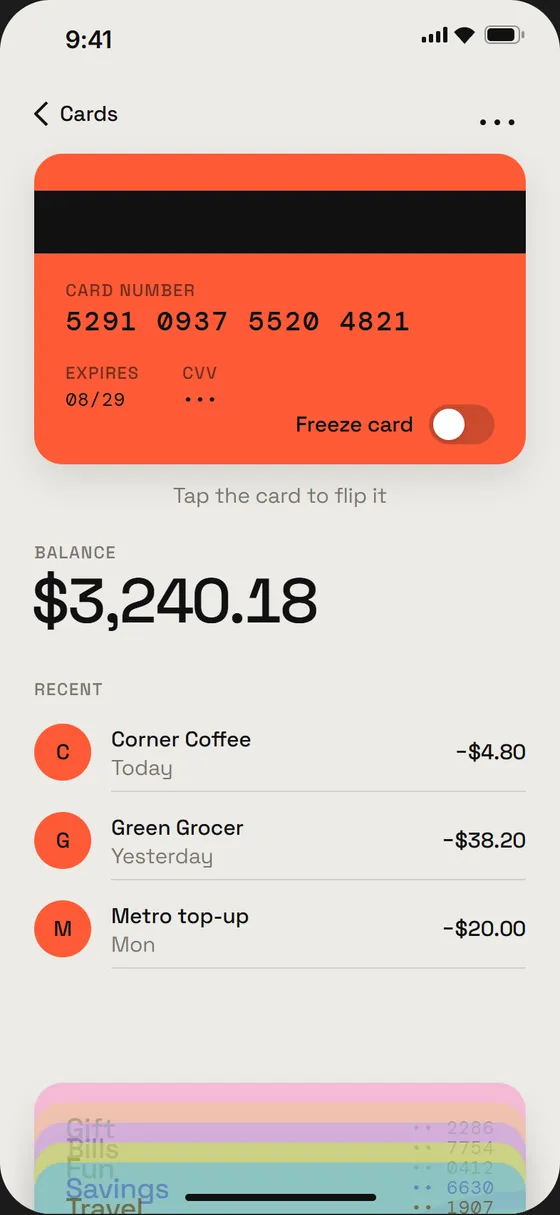
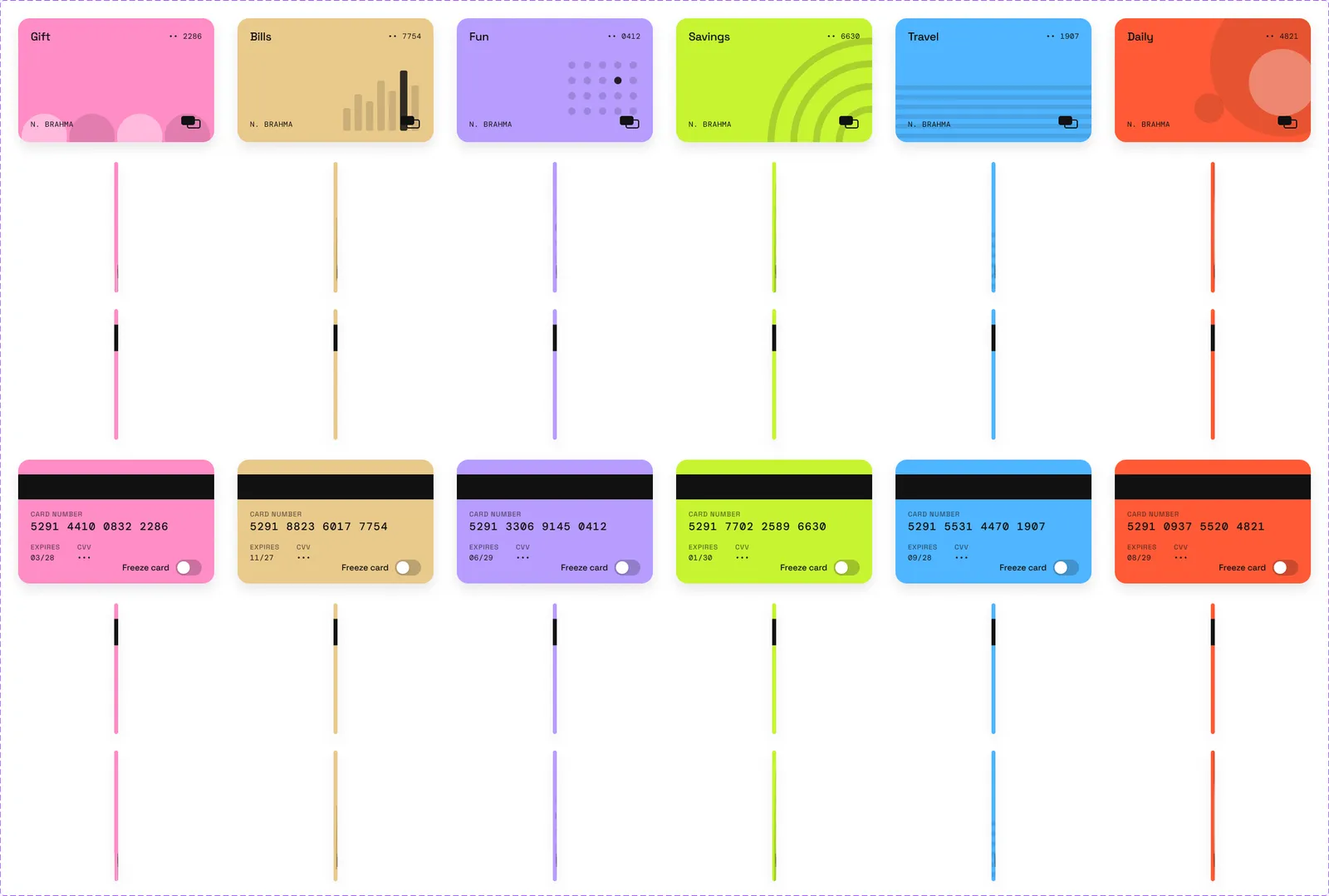
The flip is a fake 3D turn: the card squashes to its edge (140 ms ease-in), swaps face out of sight, then opens (220 ms ease-out). It lives inside the card component, so it works anywhere.
Built with: card (36 variants) · toggle · 8 frames · 46 reactions
02Inside
What if your mood check-in had a face that changed as you did?
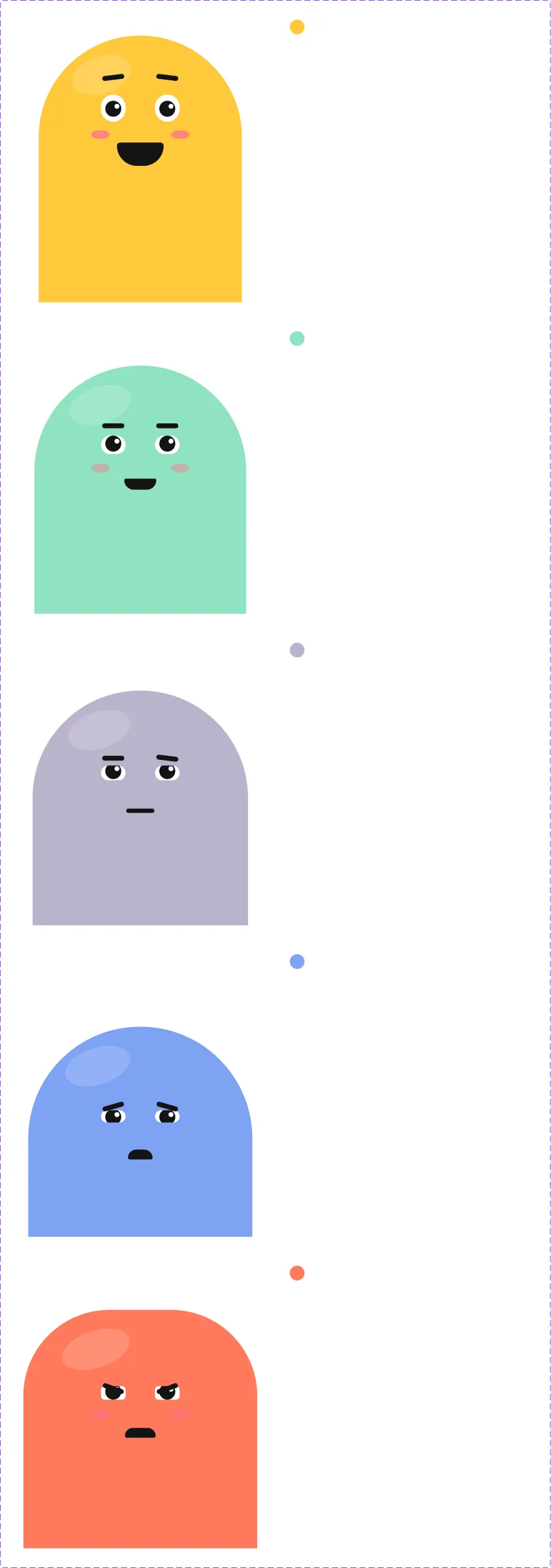
Mood trackers ask you to pick a word or an emoji. Inside gives your mood a body: Pip, a soft blob made only of simple shapes, that slumps, squints and grins as you swipe.
- Drag Pip or tap a chip. Posture, eyes, brows, mouth, blush and colour all morph across five moods.
- Save to my week: Pip shrinks into a dot and lands in today’s slot as the week rises in.
- New check-in grows Pip back out of the dot.
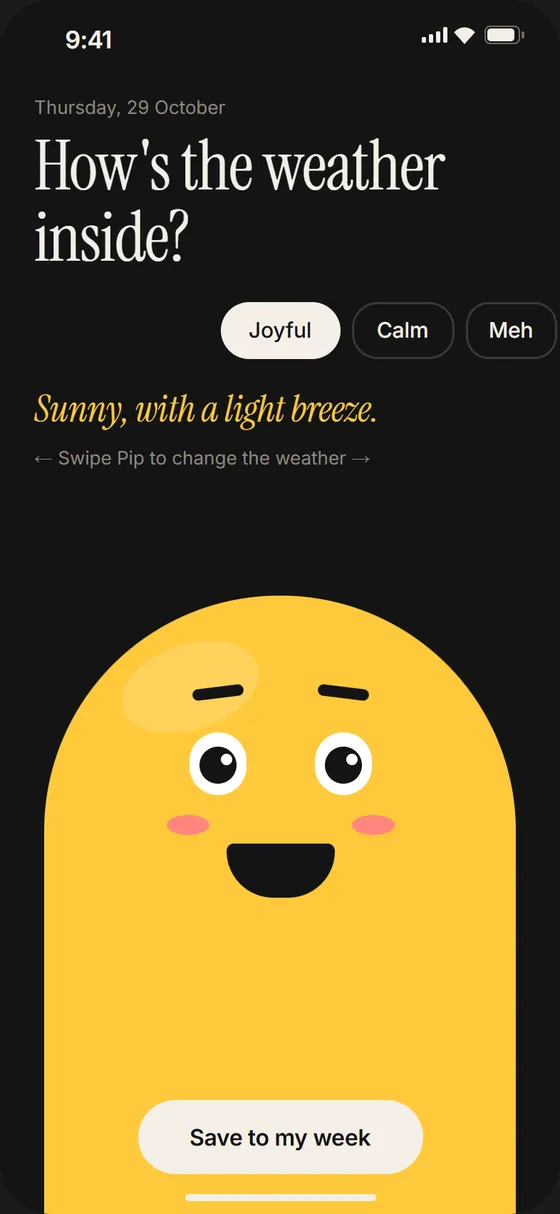
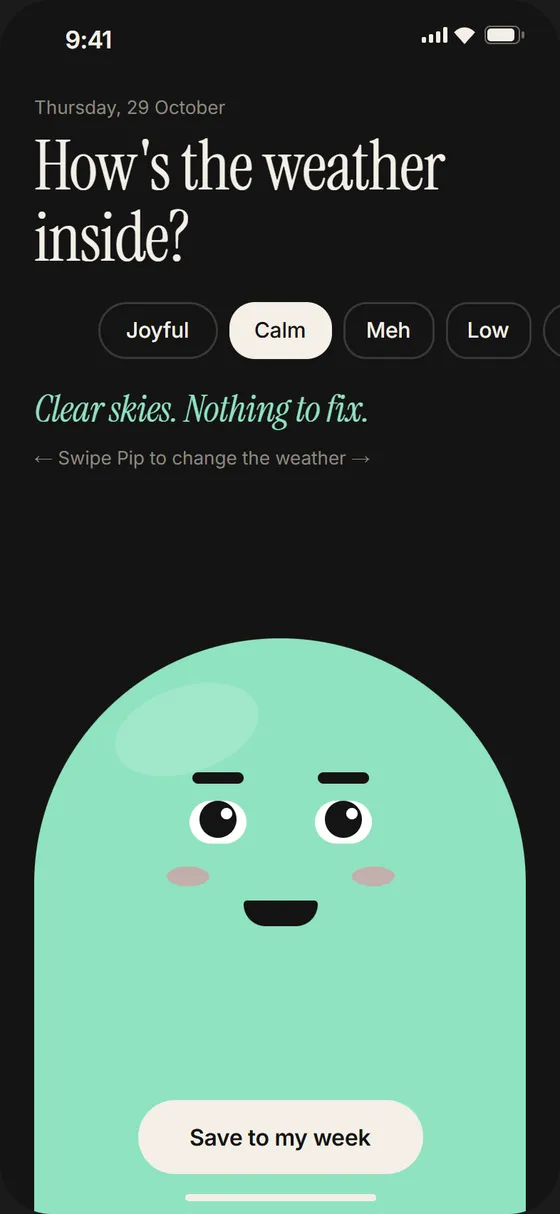
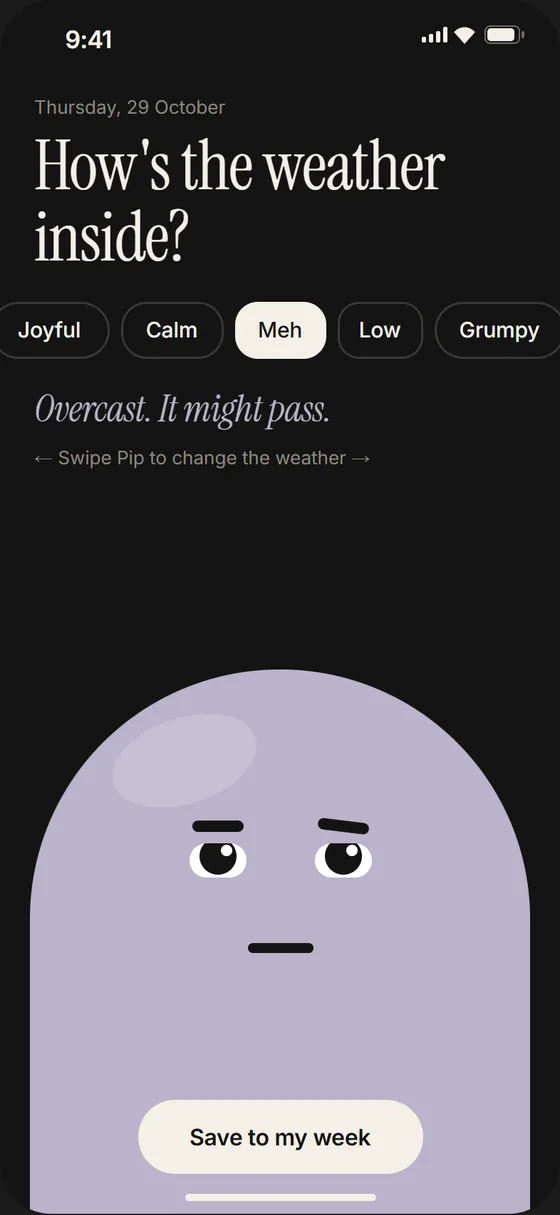
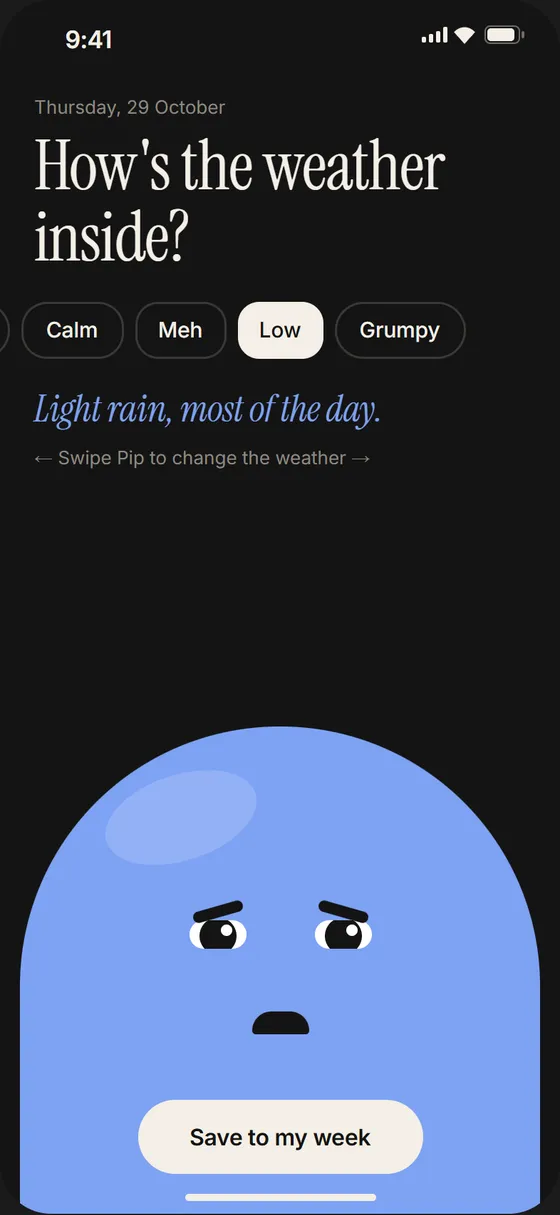
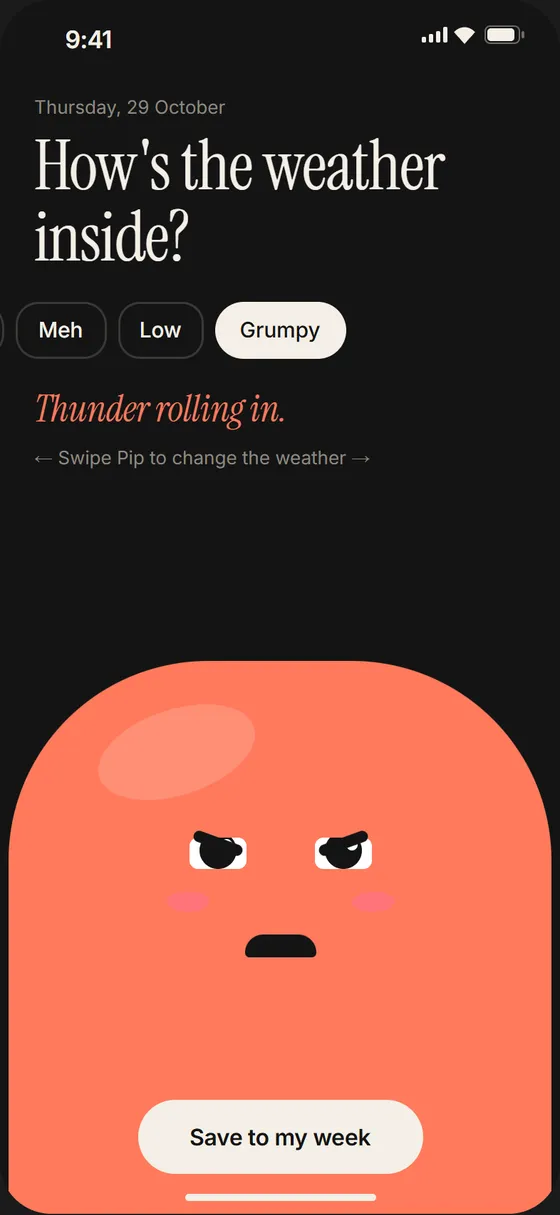
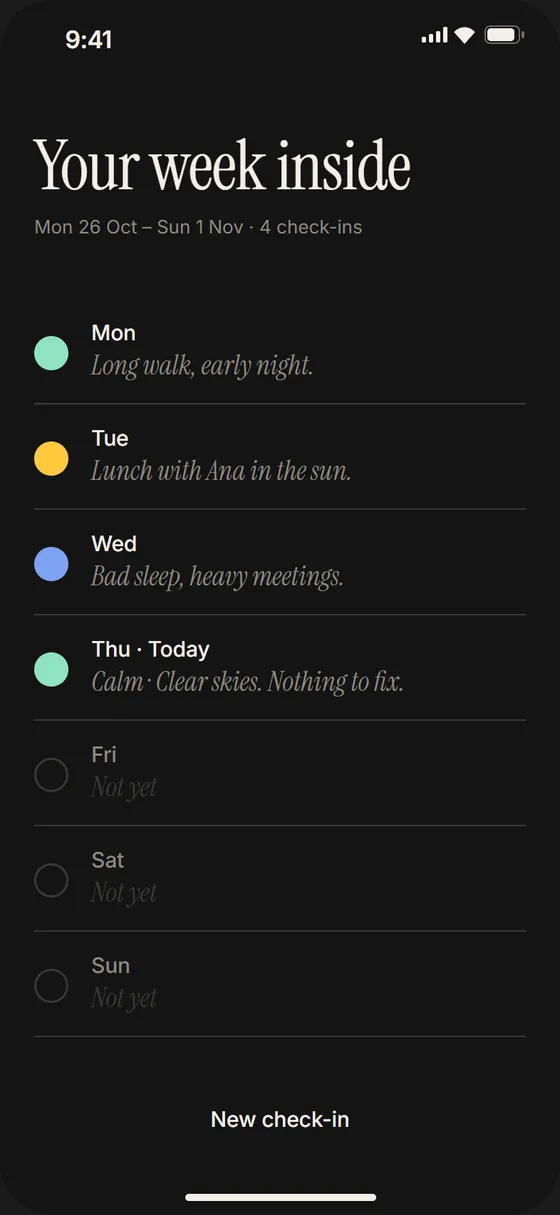
Pip is only rectangles and ellipses with identical layer names in every mood, so every feature tweens. It blinks on its own every 2.8 s, in a tiny loop inside the eyes component.
Built with: pip (10) · pip-body (10) · pip-eyes (10, blink) · 10 frames · 38 reactions
03Tank
What if drinking water kept a little fish alive?
Hydration apps count glasses. Tank makes them matter: the water in Finn’s tank is your water for the day.
- Tap +1 glass. The water rises on a slightly wobbly spring, the surface rolls, and Finn swims up with it.
- Reach 8 of 8: Finn leaps out with a splash and a goal badge springs up.
- Start over drains the tank.
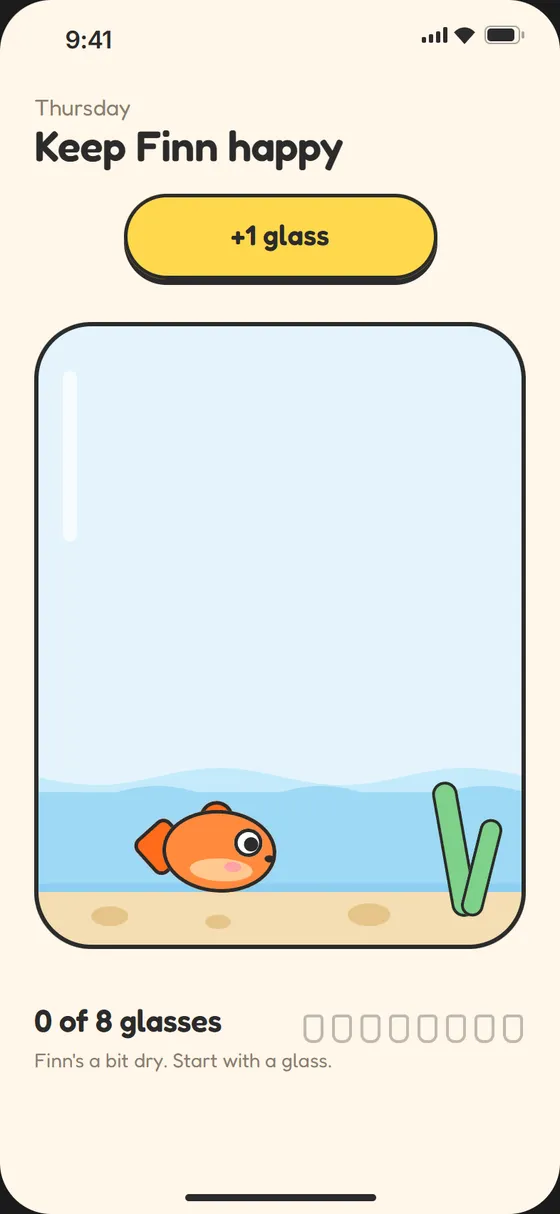
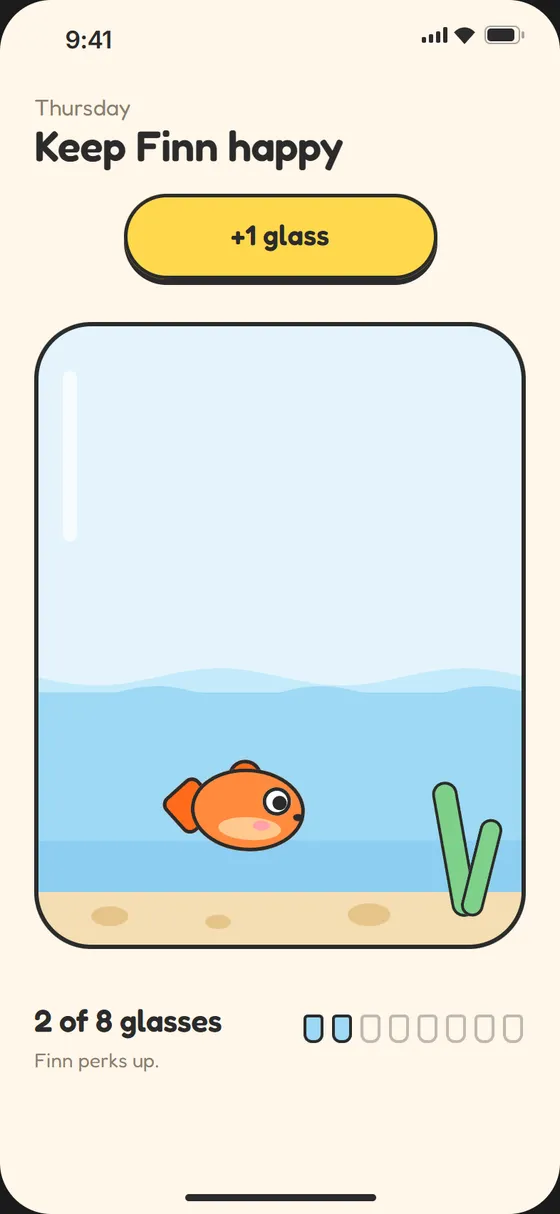
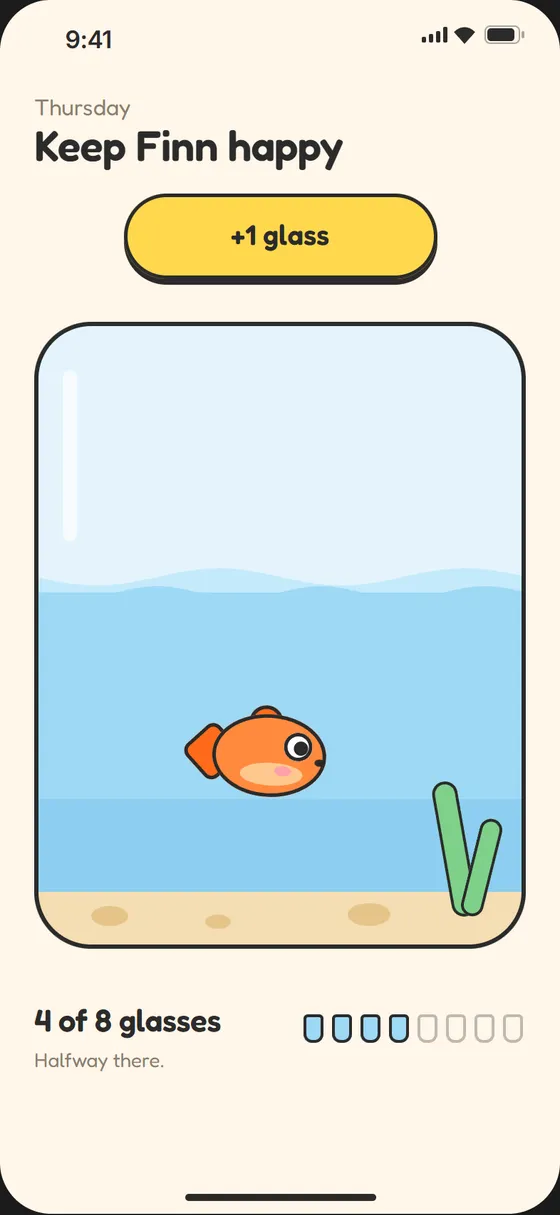
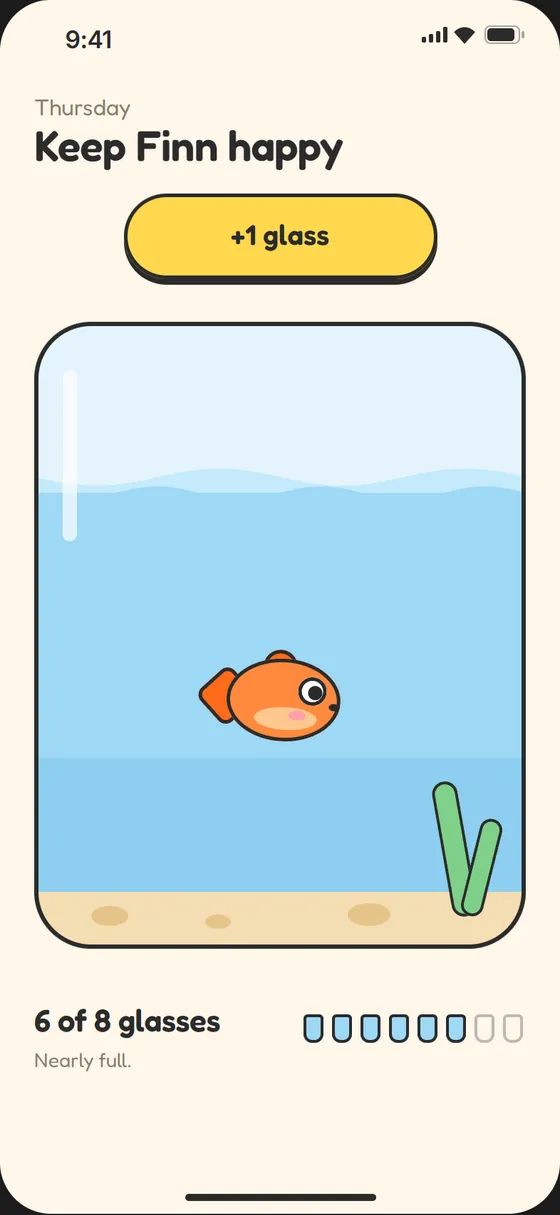
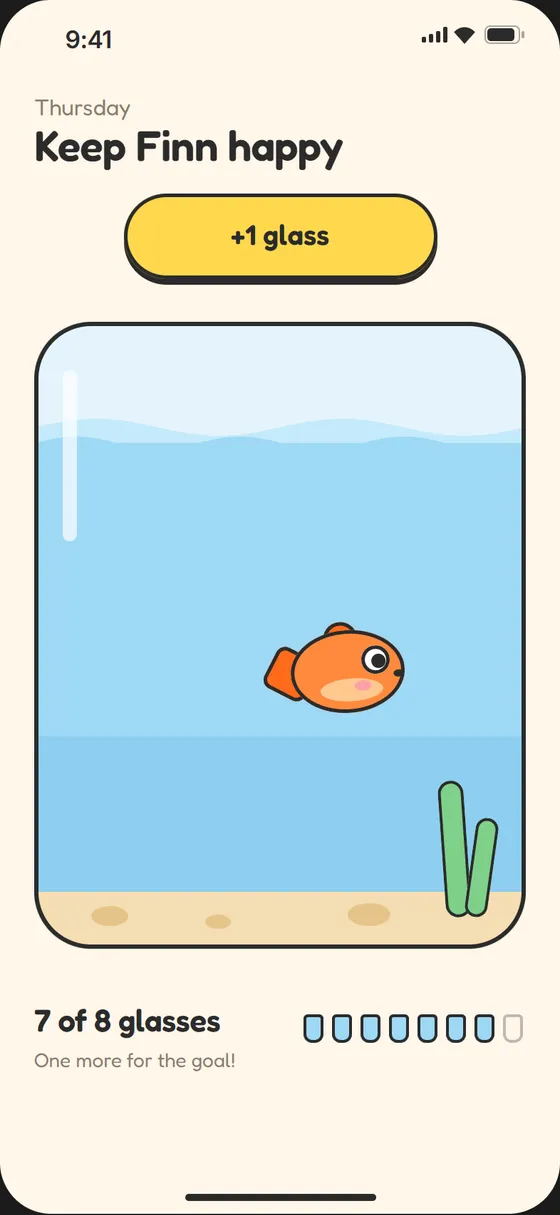
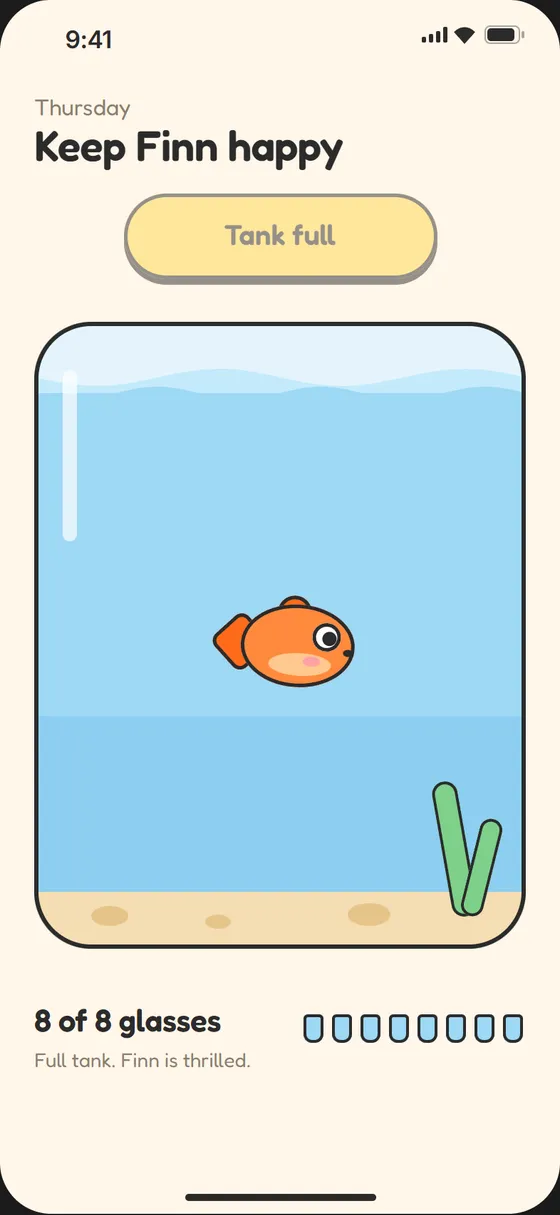
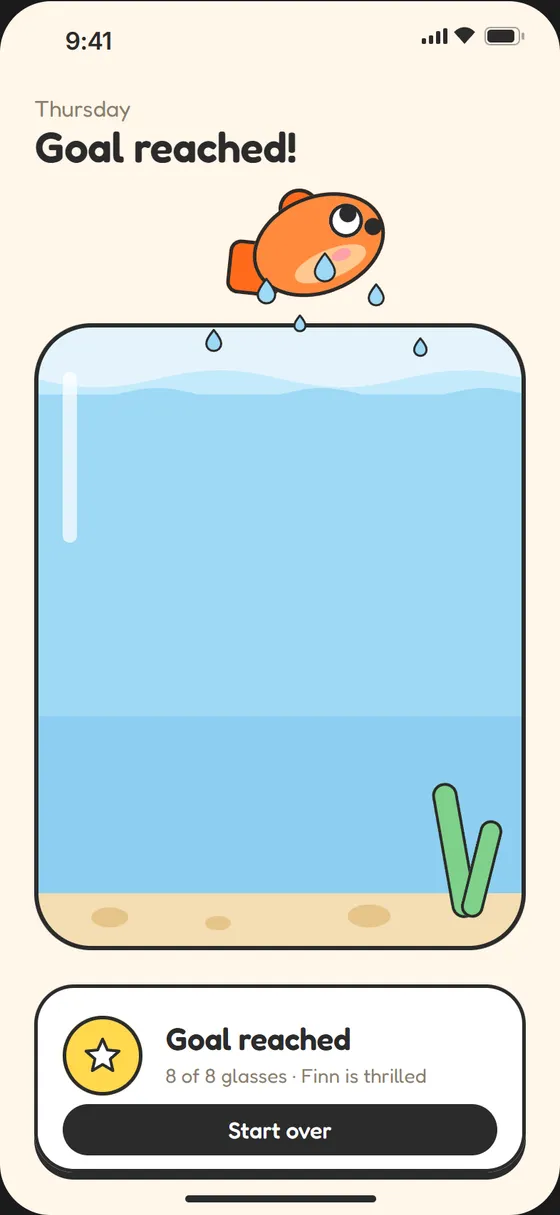
Each level is a variant of one tank component. The two wave strips shift half a wavelength per level, so the surface rolls as it rises; Finn alternates tail poses so he swims rather than slides.
Built with: tank (levels 0–8) · finn (3 poses) · 10 frames

04Spring reference
Mass / stiffness / damping, for every move.
| Move | Spring |
|---|---|
| Stack fan out / collapse | 1 / 170 / 20 |
| Card lift | 1 / 260 / 22 |
| Settle back | 1 / 220 / 28 |
| Pip mood morph | 1 / 300 / 20 |
| Pip save to week | 1 / 170 / 22 |
| Pip grow back | 1 / 200 / 20 |
| Water rise | 1 / 140 / 15 |
| Finn’s leap | 1 / 180 / 14 |
| Drain | 1 / 120 / 20 |
| Card flip | 140 ms ease-in → 220 ms ease-out |
| Pip blink | 120 ms, every 2.8 s |
Each concept is deliberately small: one or two gestures, each a single native transition on a tuned spring. The goal was smoothness and feel, not features.
Next folder / M 001
Margin →
Every note, pinned to its second. A study companion for long recorded lectures.